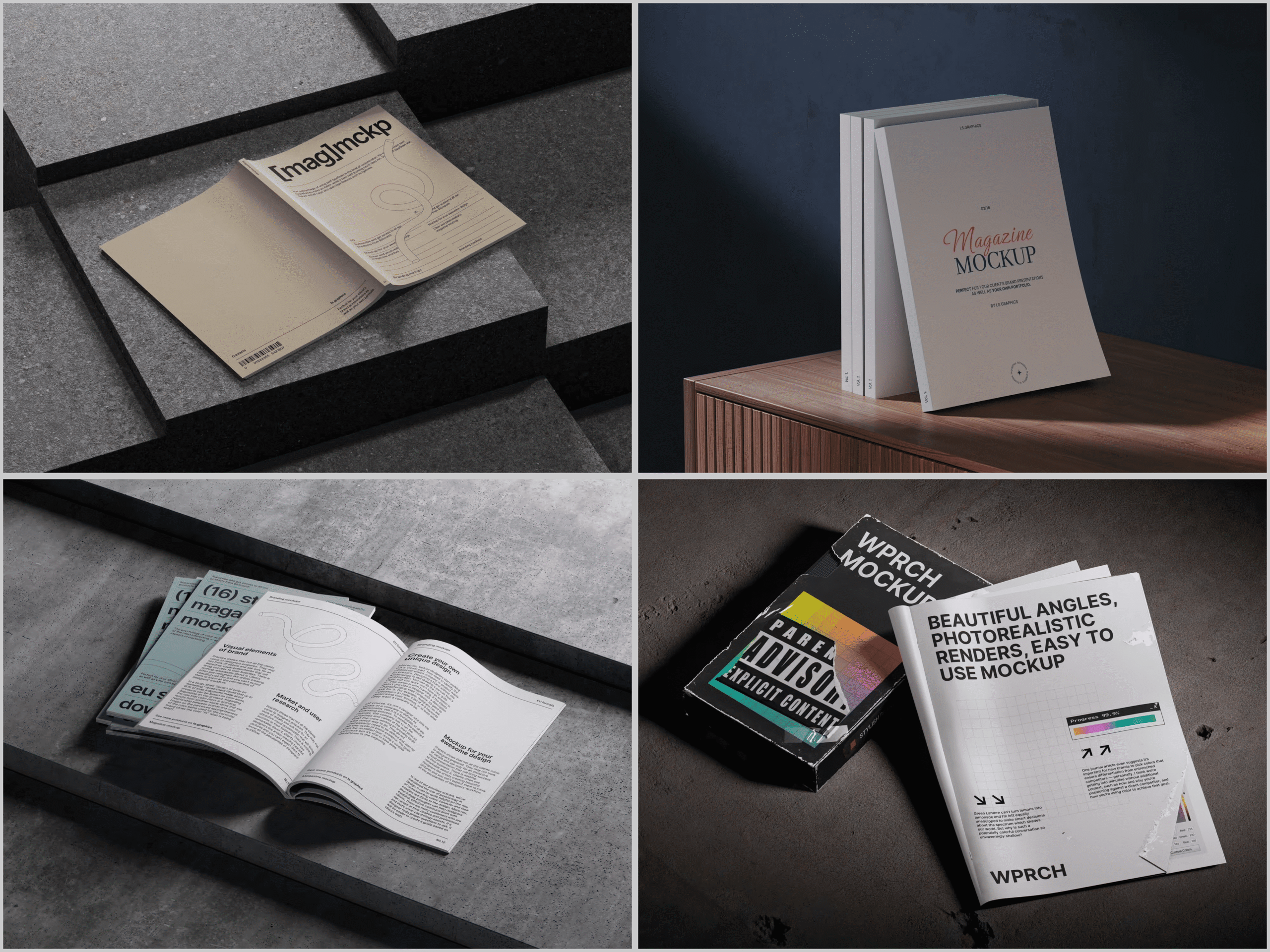
So you’ve spent weeks perfecting your magazine layout. The typography is crisp, the grid is immaculate, and the color palette feels like it was pulled straight from a dream. But now comes the part that trips up so many designers: presenting that work in a way that actually impresses clients and hiring managers.
Enter the magazine mockup — a designer’s secret weapon for turning flat artwork into jaw-dropping portfolio pieces.
Why Magazine Mockups Matter More Than You Think
There’s a psychological gap between seeing a flat PDF and seeing a magazine resting on a marble countertop, catching afternoon light. Clients live in the second world, not the first. When you present your work inside a realistic scene, you’re not just showing a design — you’re telling a story about how that design lives in the real world.
A well-chosen magazine mockup does several things at once:
- It adds context and scale that raw files simply can’t provide
- It builds immediate trust with clients who aren’t trained to “read” flat designs
- It elevates your portfolio from a collection of files to a curated visual experience
And here’s the good news: you don’t need a professional photo studio, a pile of printed magazines, or an expensive camera setup to achieve this. You don’t even need Photoshop or any complex design software — modern online tools let you drop in your artwork and generate a polished, realistic scene entirely in your browser. The internet has made breathtaking presentation design accessible to everyone.
The Best Online Tools for Magazine Mockup Creation
When it comes to creating mockups in the browser, a few platforms consistently rise to the top. Here’s what the landscape looks like:
Canva is a crowd favorite for beginners. It offers drag-and-drop simplicity and a decent library of magazine-style templates. The limitation? Customization depth is shallow, and the mockup scenes feel generic after a while.
Placeit gives you a broad range of lifestyle mockups and lets you swap in your cover designs quickly. It works well for social media content but lacks the photographic realism that serious portfolio work demands.
Adobe Express integrates nicely if you’re already inside the Adobe ecosystem. It’s clean and functional, though the mockup library remains modest compared to dedicated platforms, and scenes can feel more functional than inspiring.
ls.graphics is where designers go when quality is non-negotiable. Their magazine mockup library features ultra-realistic rendering and editorially composed scenes — and with the handy Edit Online feature, you can customize and export everything straight from your browser, no software needed.
Real Examples of Magazine Mockups in Action
Magazine mockups are used across wildly different industries — and once you start noticing them, you’ll see them everywhere.
Fashion and beauty brands use magazine mockups constantly when pitching editorial concepts to advertisers. A cosmetics label presenting a Vogue-style spread to a potential sponsor will mock up the full layout before a single page goes to print — saving thousands in test printing costs while still communicating the visual direction with total clarity.
Advertising agencies rely on mockups during client presentations. When a creative team at a mid-size agency pitches a new campaign concept, they’ll drop their layouts into realistic magazine scenes to simulate how the ad will appear in context — surrounded by real editorial content, on a real page, in a reader’s hands.
Freelance graphic designers use them daily to populate portfolio case studies on Behance, Dribbble, and personal websites. A single strong mockup image on a Behance project page can double the number of profile visits compared to presenting the same design as a flat export.
Publishing startups launching new titles use mockups in crowdfunding campaigns and investor decks. Showing a beautifully rendered physical magazine builds credibility and excitement long before the first issue rolls off the press.
Interior and architectural studios occasionally produce their own branded publications — lookbooks, project catalogues, annual reports styled as magazines. Mockups let them present these materials in the context of the spaces they design: on a reception desk, a coffee table, a minimalist shelf.
Magazine Mockups on ls.graphics: A Cut Above
If you’re serious about presentation quality, ls.graphics deserves a dedicated look. The platform has built a reputation in the design community for one reason: their mockups look real in a way that most competitors simply don’t match.
What sets them apart comes down to craft and intention:
- Ultra-realistic rendering — the lighting, shadow depth, and surface textures are photographically accurate, making your designs feel genuinely printed
- Organized, editable layers — files are structured so you can swap artwork, adjust backgrounds, and modify scenes without hunting through a mess of unnamed groups
- Multiple angles per scene — a single purchase often gives you top-down, three-quarter, side, and perspective views, giving your portfolio visual variety without extra effort
- Color style flexibility — scenes come in multiple color environments, so a warm cream background or a cool charcoal surface is just a click away
- Minimalist compositions — the styling is deliberately restrained, keeping attention on your design rather than distracting props
What makes ls.graphics especially convenient for busy designers is its online editing feature. You don’t need Photoshop on a powerful computer — you can open a scene directly in your browser, insert your layout, play with colors, and export the finished layout in PNG format in minutes. It really is that simple.
Tips for Using Mockups Effectively in Your Portfolio
Good mockups are a tool, not a shortcut. Here’s how to use them with intention:
- Match the mood to the project. A tech startup magazine needs a clean, bright scene. A luxury fashion quarterly deserves moodier, richer lighting.
- Don’t over-mock. Two or three strong mockup images tell a better story than twelve mediocre ones.
- Keep your actual design visible. Choose angles that show your typography, grid, and imagery clearly — never obscure your work for the sake of atmosphere.
- Stay consistent across your portfolio. If you use warm-toned scenes for one project, carry that visual language through. A cohesive presentation style makes your whole portfolio feel considered and intentional.
- Use multiple angles for complex projects. A single flat cover shot doesn’t tell the whole story. Pair it with an open spread or a stacked issues view to show range and depth of your design decisions.
Conclusion
Creating a magazine mockup online has never been more accessible — or more powerful. The tools exist, the quality is there, and the impact on how clients and employers perceive your work is real and measurable.
For designers who want presentation quality that genuinely reflects the care they put into their work, ls.graphics stands out as a platform worth bookmarking. Between the free scenes to experiment with, the Edit Online convenience, and the premium library’s sheer depth, it covers everything from quick portfolio updates to full client presentations.
Your designs deserve to be seen at their best. A great mockup makes that happen.